
How the Cash collection pipeline operates
The in-game economy follows the four steps below described directly in the official game description:
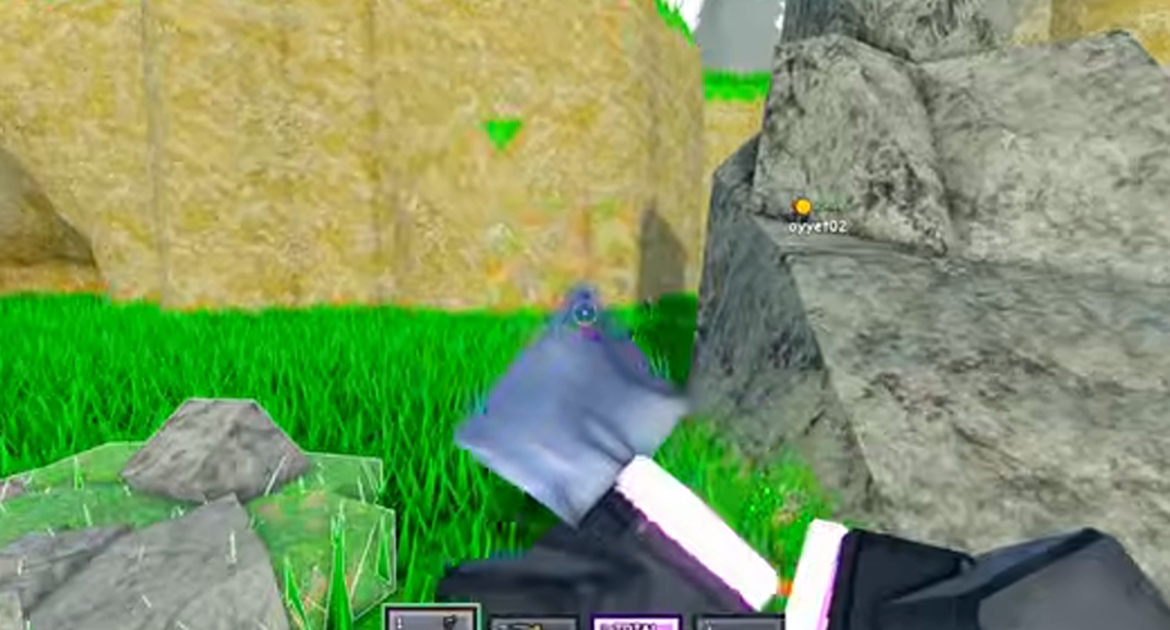
- Hit the mountain wall with your equipped shovel or pickaxe until stone chunks drop to the ground.
- Equip your vacuum tool and hold it near the pile until the stones disappear into the nozzle.
- The HUD Cash counter in the top-left corner updates once the vacuum finishes pulling the pile.
- Open the Upgrades menu to spend that balance on character and tool stats before heading into the next digging run.
Leaving shattered stones behind on the ground yields zero Cash. Clearing an entire mountain section without taking out your vacuum forfeits all progress from those swings.
The three core levers for earning Cash faster
Every run stat in the General tab addresses one specific mechanical bottleneck.
| Lever | In-game stat name | Level 0 baseline | Level 1 upgrade target | Documented Level 0 price | Physical effect |
|---|---|---|---|---|---|
| Area | DIG SIZE | Radius: 7 | Radius: 7.6 | 228 Cash | Breaks a wider section of cliff per swing |
| Tempo | SWING SPEED | Swing time: 0.9s | Swing time: 0.72s | 430 Cash | Shortens the recovery pause between strikes |
| Output | YIELD | Stones: x1.25 | Stones: x1.38 | 430 Cash | Multiplies the loose stone pieces generated |
DIG SIZE increases radius by 8.6% on its first purchase, which yields roughly 18% greater circular strike coverage based on circle area calculations. SWING SPEED drops the delay from 0.9 seconds to 0.72 seconds, which increases your striking rate from 1.11 swings per second to 1.39 swings per second (a 25% increase). YIELD raises the output multiplier from x1.25 to x1.38 (a 10.4% increase).
These percentage increases represent our own arithmetic on the game's displayed panel numbers, not official formulas published by Greedy Inc. Because the exact Cash value of each individual stone chunk is not recorded here, we do not provide estimated Cash earnings per minute.
Early game budget: spending your first 1,000 Cash
When starting with an empty wallet, target the lowest available upgrade costs before stockpiling.
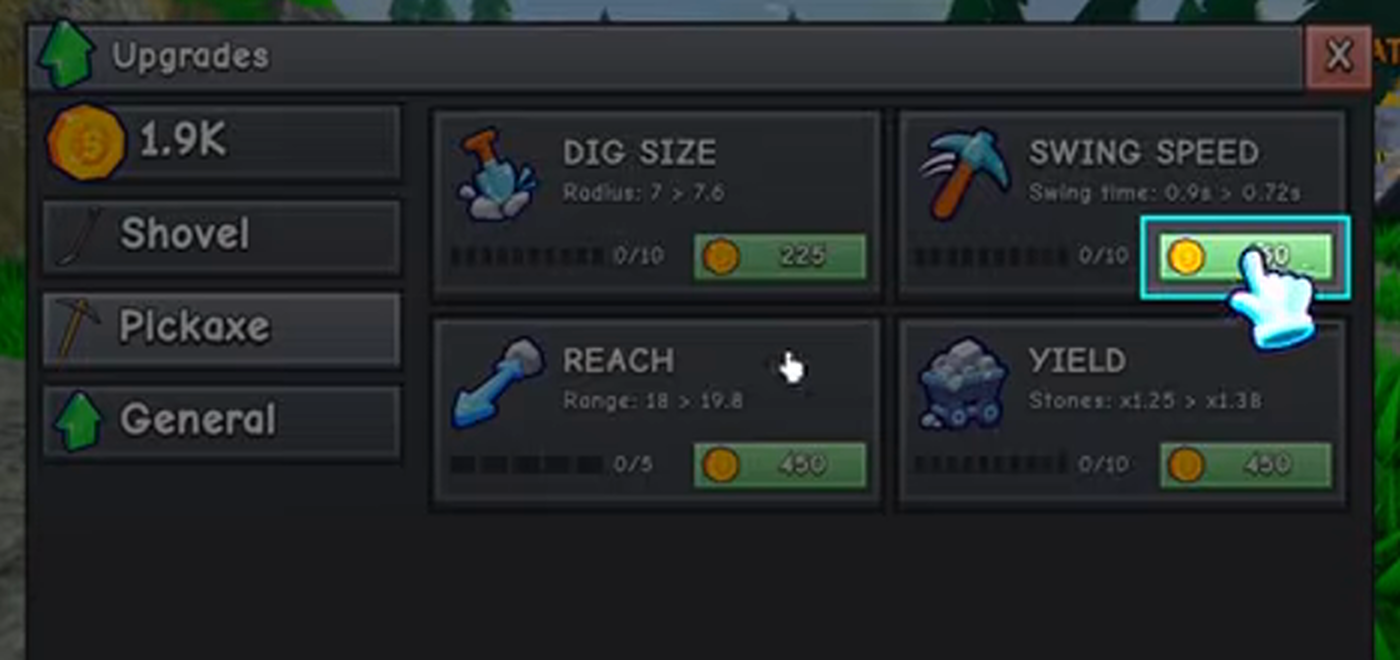
The panel recorded in MBT at 00:03:14 displays the level 0 starting options. DIG SIZE requires 228 Cash at level 0/10, while SWING SPEED, REACH, and YIELD each cost 430 Cash. The player balance in the screenshot reads 1.9K Cash. It confirms opening prices but does not show later price inflation curves.
- Dig your opening wall section and vacuum all fallen pieces until you cross 228 Cash.
- Open Upgrades and buy level 1 DIG SIZE (228 Cash) immediately. Wider strike coverage creates more stone chunks per swing on the next pass.
- Gather another 430 Cash from the enlarged dig area.
- Purchase level 1 SWING SPEED (430 Cash) to reduce your swing delay from 0.9s to 0.72s.
- Save your subsequent 430 Cash for level 1 YIELD to increase total stone output to x1.38.
Consult our detailed upgrade order guide to see how subsequent levels branch when tool tabs open up.
Mid-game collection and backpack overflow
As your dig radius expands, your vacuum fills your inventory before the cliff face clears.
- When your pack fills mid-strike, your character stops collecting loose stones until you empty it or sell the load.
- If you find yourself running back to empty your haul every thirty seconds, the
Big Backpackgame pass offers +50% stone capacity for 129 Robux. - Free players should adjust their loop instead: clear a smaller wall patch, vacuum immediately, and dump cargo before breaking the next segment.
- If initial run funding feels too slow, the Gem Upgrades menu offers
Head Startfor 300 Gems, which grants +5,000 starting Cash at the beginning of each run. See our gems guide for details on Gem acquisition.
Multiplier options: permanent pass vs server boost
If you decide to spend Robux to accelerate Cash accumulation, two distinct multiplier options exist in the game store.
| Product | Price | Duration | Target audience | Verified store description |
|---|---|---|---|---|
| 2x Money | 199 R$ | Permanent | Solo owner | 2x money on all collections permanently (self only) |
| Server 2x Money | 69 R$ | One round | All server players | 2x money for everyone in the server, this round only |
Buying 2x Money costs 199 Robux once and doubles all collected Cash across every session you play. Server 2x Money costs 69 Robux and applies strictly to the active round. If three friends split runs together, three separate 69 Robux boosts (207 Robux) exceed the price of one personal permanent pass while vanishing once the server round ends. You can read our complete game passes compared breakdown to review VIP and vacuum tools.
Step-by-step arithmetic for target savings
Because the game does not show per-stone earnings, measure your progress by tracking upgrade cycles rather than time clocks.
For example, reaching level 2 YIELD requires 795 Cash (observed at level 1/10). Reaching level 2 REACH also requires 795 Cash.
To save 795 Cash without buying Robux passes:
- Complete a digging sequence and vacuum the drop zone until your wallet holds at least 390 Cash.
- Reinvest that 390 Cash into level 2 DIG SIZE (observed cost at level 1/10) to expand stone generation per swing.
- Complete two full vacuum cycles from the wider crater.
- Deposit the full haul to cross the 795 Cash threshold without diverting money into side purchases.
We could not confirm the exact number of hits needed to fill your bag, because stone hardness and individual values are not recorded here.
Common ways players lose Cash efficiency
- Smashing rocks continuously without vacuuming: stone piles can despawn or become unreachable if terrain shifts, wiping out invested swing time.
- Buying REACH before DIG SIZE: extending your reach by 1.8 units does not increase stone drops if your hit radius remains small.
- Purchasing single-round server boosts during solo play: spending 69 Robux for one session wastes value compared to permanent stat upgrades.